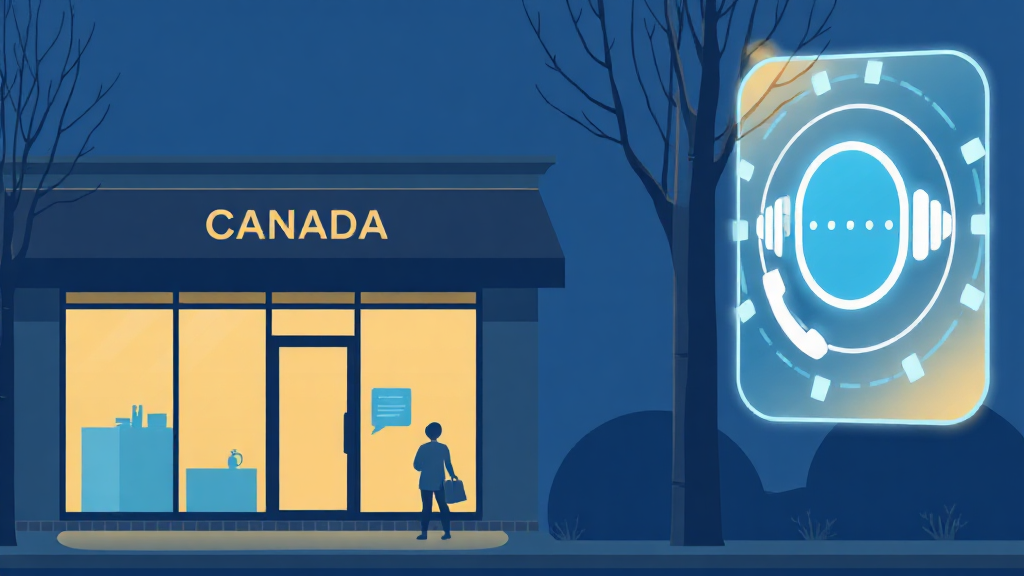
It's 9 p.m. on a Tuesday. The phone rings. Nobody picks up.
A family in Mississauga just moved in. The pipe under the sink is leaking, and the floor is starting to warp. They search for a plumber "open now" on their phone, dial your number… and hit voicemail. Thirty seconds later they call your competitor, who answers. You just lost an $1,800 job while you were asleep.
That's the real cost of being closed. And no — the answer isn't hiring someone to babysit the phone all night.
This guide walks you through, step by step, how to offer 24/7 phone support with an AI voice agent — without adding a single night shift to your payroll. Expect roughly two weeks from decision to an agent that answers the moment you lock the door, whether your business is in Toronto, Calgary, Halifax, or anywhere across Canada's six time zones.
What You Need Before You Start
Good news right off the bat: you don't need to be a tech company. Most Canadian SMEs that go 24/7 already have everything they need on hand.
You'll need three things: your current business line (or a number to forward after-hours calls to), a clear picture of the questions customers ask most often, and a calendar or booking tool you already use. That's it. The technical setup, integration, and agent training are handled by our team — you stay focused on running your business.
A bit of reassuring context: conversational AI adoption is no longer fringe. According to Capsule's small-business AI adoption data, generative AI use among small firms jumped from about 40% in 2024 to over 58% in 2026. Your customers are already comfortable talking to a voice assistant.
Step 1: Map Your After-Hours Calls
Before you automate anything, you need to know what you're missing. Most owners drastically underestimate how many calls land after 5 p.m., on weekends, and over the lunch hour.
For one week, log every missed call: the time, the day, and — if you can guess — the reason. An emergency? A booking request? A simple question about your hours? This small exercise almost always reveals the same surprise: a large share of your "lost" calls are actually simple requests an agent can handle in thirty seconds.
You'll also spot your peaks. A clinic in Ottawa will likely see a Monday-morning spike; a Vancouver restaurant, Thursday and Friday nights. That map becomes your game plan.
Step 2: Decide What the Agent Handles Alone (and What It Hands Off)
This is the step businesses botch most often — and the one that makes all the difference. An AI voice agent doesn't need to do everything. It needs to nail the essentials and know when to pass the baton.
Make two lists. In the first, the requests the agent resolves end to end: confirming hours, booking an appointment, quoting a starting price, answering FAQs, capturing a new lead's details. In the second, the cases that need a human: a delicate complaint, a genuine medical emergency, a complex negotiation.
The golden rule? If the agent doesn't understand a request after two attempts, it transfers or takes a detailed message — it never loops. That single threshold separates a good deployment from a frustrating one.
Step 3: Give Your Business a Real Voice
"Welcome to customer service. How may I help you?" Nobody wants to hear that. It sounds corporate, cold, anonymous.
Your agent should sound like your business. "Hi, you've reached Tremblay Auto, this is Léa. How can I help you tonight?" In one sentence, the caller knows they're in the right place and lets their guard down. In Canada's multilingual cities, that also means meeting callers in their language — many of the best deployments answer in English by default and switch seamlessly when a customer prefers French or another language.
Speed matters as much as tone. An agent that takes three seconds to respond shatters the illusion of a real conversation. The best solutions aim for near-instant response times, because that smoothness is what makes a caller forget they're talking to a machine.
Step 4: Connect the Agent to Your Calendar and Follow-Ups
An agent that answers is good. An agent that acts is what pays off. Connecting it to your calendar and CRM turns a simple answer into a confirmed booking.
Here's how it plays out: the customer calls at 10 p.m., the agent sees your real-time availability, offers a slot, books it, and logs it in your system. The next morning you open your calendar and the appointment is already there. Make sure the integration is two-way to prevent double-bookings — a technical detail our team handles for you.
Add automated text follow-ups: instant confirmation, then a reminder the day before. It's also the best way to recover calls nobody caught in time. We break down that mechanism in our piece on automatic callbacks for missed calls, and it's exactly what turns an agent from "gadget" into "night-shift employee."
Step 5: Listen, Measure, Adjust
An AI voice agent isn't a toaster you plug in and forget. In the first few weeks, listen to a sample of calls. You'll quickly spot the questions the agent fumbles, the phrasing to refine, and new requests to add.
Track three numbers: the share of calls resolved without a human, the number of after-hours bookings, and caller satisfaction. Within a month you'll know exactly how much revenue your "night shift" generates. To put those gains in perspective, take a look at the numbers behind AI voice agent ROI.
Mistakes to Avoid
Three traps come up again and again. The first: trying to automate everything overnight. Start with after-hours calls, master them, then expand.
The second: forgetting to tell your regular customers. A simple "We now answer 24/7" on your greeting, website, and social channels shifts perception. The third, and most expensive: believing the agent replaces your team. It doesn't — it takes the 80% routine so your people can focus on the 20% that needs a real human touch.
And if you're still torn between an agent and a souped-up voicemail, our guide to replacing your voicemail in five steps compares both approaches in detail.
The Results You Can Expect
Let's get concrete. Service businesses that finally cover their closed hours report a meaningful revenue lift from calls and leads that no longer fall into the void. According to Ringly's 2026 voice AI statistics, the voice agent market is exploding precisely because that return on investment is measured in months, not years.
For a small service business, automating phone reception often works out to the equivalent of tens of thousands of dollars a year — between recovered revenue and saved administrative time. All without the headache of staffing overnight hours.
A Real Scenario, Start to Finish
Picture a small HVAC company in Winnipeg. Before going 24/7, the owner figured he was "basically always reachable" on his cell. In reality, his after-hours log showed eleven missed calls in a single week — four of them genuine no-heat emergencies in February.
After deploying an agent, here's a typical night. A homeowner calls at 11:40 p.m. with no heat. The agent answers in under a second, recognizes the word "emergency," confirms it's urgent, captures the address and the nature of the problem, and texts the on-call technician immediately — while booking a confirmed morning slot as a backup. The owner wakes up to a dispatched emergency job and a booked appointment, both handled while he slept.
The next morning's other calls? A pricing question, two booking requests, and one wrong number. The agent handled all of them. The owner spent zero minutes on the phone overnight and still captured every dollar. That's the difference between "reachable in theory" and "answered in practice."
Frequently Asked Questions
Will my customers know it's an AI? Be transparent: a good agent introduces itself clearly. What matters to the caller isn't whether it's an AI — it's that someone answered fast and solved their problem. The vast majority hang up satisfied.
What if a real human is needed in the middle of the night? You set the rules. The agent can transfer to an on-call cell phone for true emergencies, or take an ultra-detailed message you receive instantly by text and email.
How long before it's up and running? Usually about two weeks. Most of that time goes into training the agent on your FAQs — not coding on your end.
Does it work in multiple languages? Yes. In Canada's officially bilingual, multilingual reality, the agent can answer in English by default and switch to French or other languages on request — a real advantage for businesses serving diverse communities.
Ready to Never Sleep Through a Missed Call Again?
Covering your closed hours is no longer a luxury reserved for big chains. It's become the minimum your customers expect — and the simplest way to get a step ahead of the competitor who still lets the phone ring into the void.
Book a 15-minute demo to hear your future agent in action, or explore our plans starting at just $49/month. Our team handles everything else.